Modernizing a Legacy Digital Submissions Gateway
UX Strategy · Experience Architecture · Product Design
01
Project Overview
A critical government submission gateway had been operating for more than a decade with little major modernization. Its aging interface and underlying technology were increasingly strained by larger file transfers, evolving security requirements, and user expectations shaped by modern digital services.
The initial challenge wasn’t simply to redesign the interface. The team needed to determine what a modern replacement should become, how it could better serve multiple types of external and internal users, and how that future experience could be communicated clearly enough for stakeholders to evaluate and support it.
*All designs shown are illustrative mockups created for this case study and do not duplicate screens or sensitive information from the actual application.
My Role
Role: Sole UX/UI & Product Designer
Team: Cross-functional federal technology team
Scope: Research through proof of concept and implementation
Timeline: 2022–2025
I served as the sole UX/UI and graphic designer during the initial modernization effort, working alongside business analysis, project leadership, technical architecture, development, and content expertise.
My role went beyond interface design. I helped visualize the existing ecosystem, explore future-state possibilities, translate complex requirements into understandable concepts, and create an interactive prototype that allowed stakeholders to experience the proposed direction rather than simply read about it.
When the project moved from analysis into implementation, I continued as the product designer, developing workflows, design standards, prototypes, and interface concepts while collaborating directly with stakeholders and developers.
02
Mapping the Current Experience
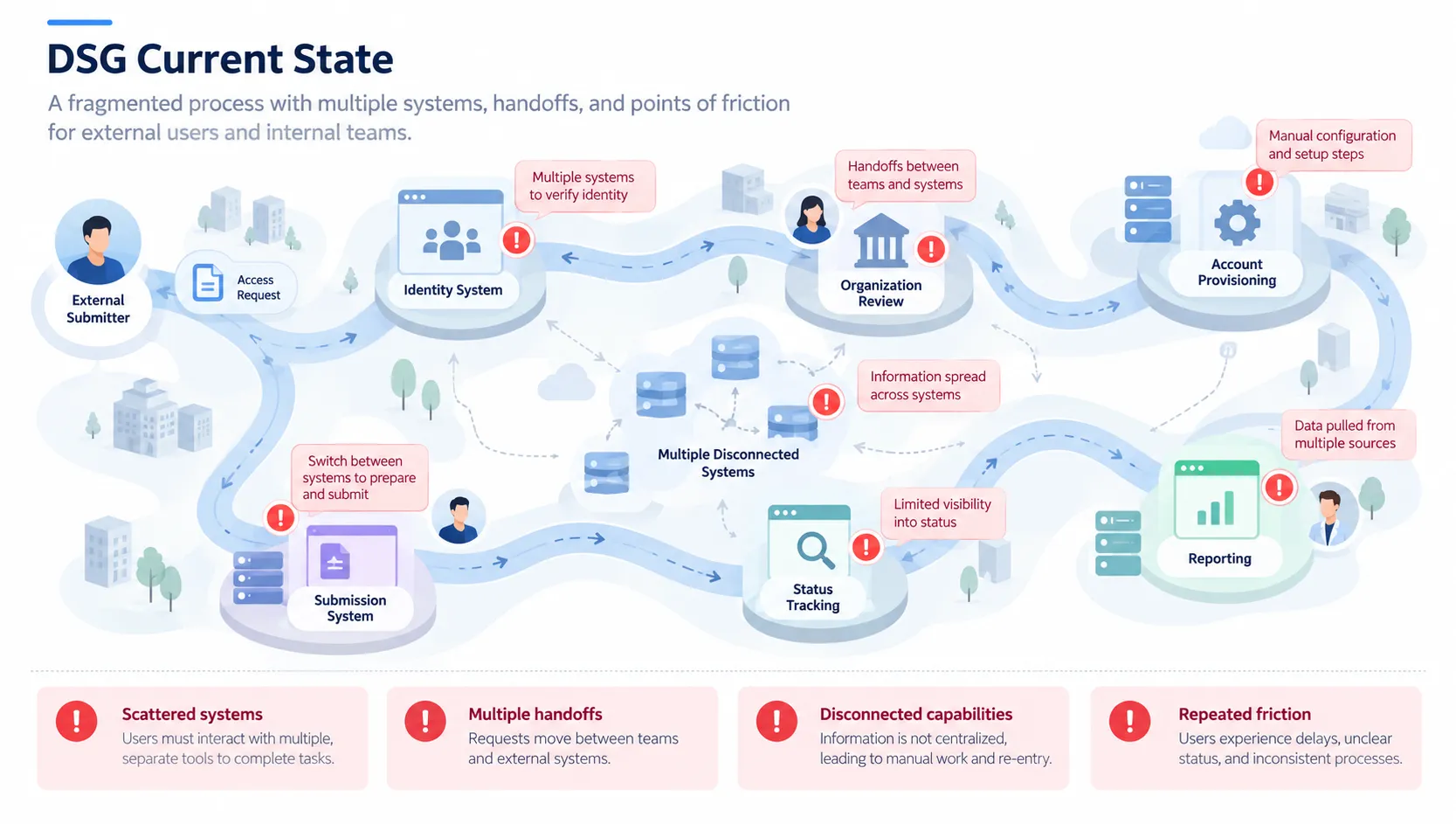
Before proposing a future-state experience, I needed to understand why the existing gateway was difficult to use. Interviews with users across multiple groups revealed friction spanning onboarding, submission preparation, file transfer, status tracking and communication.
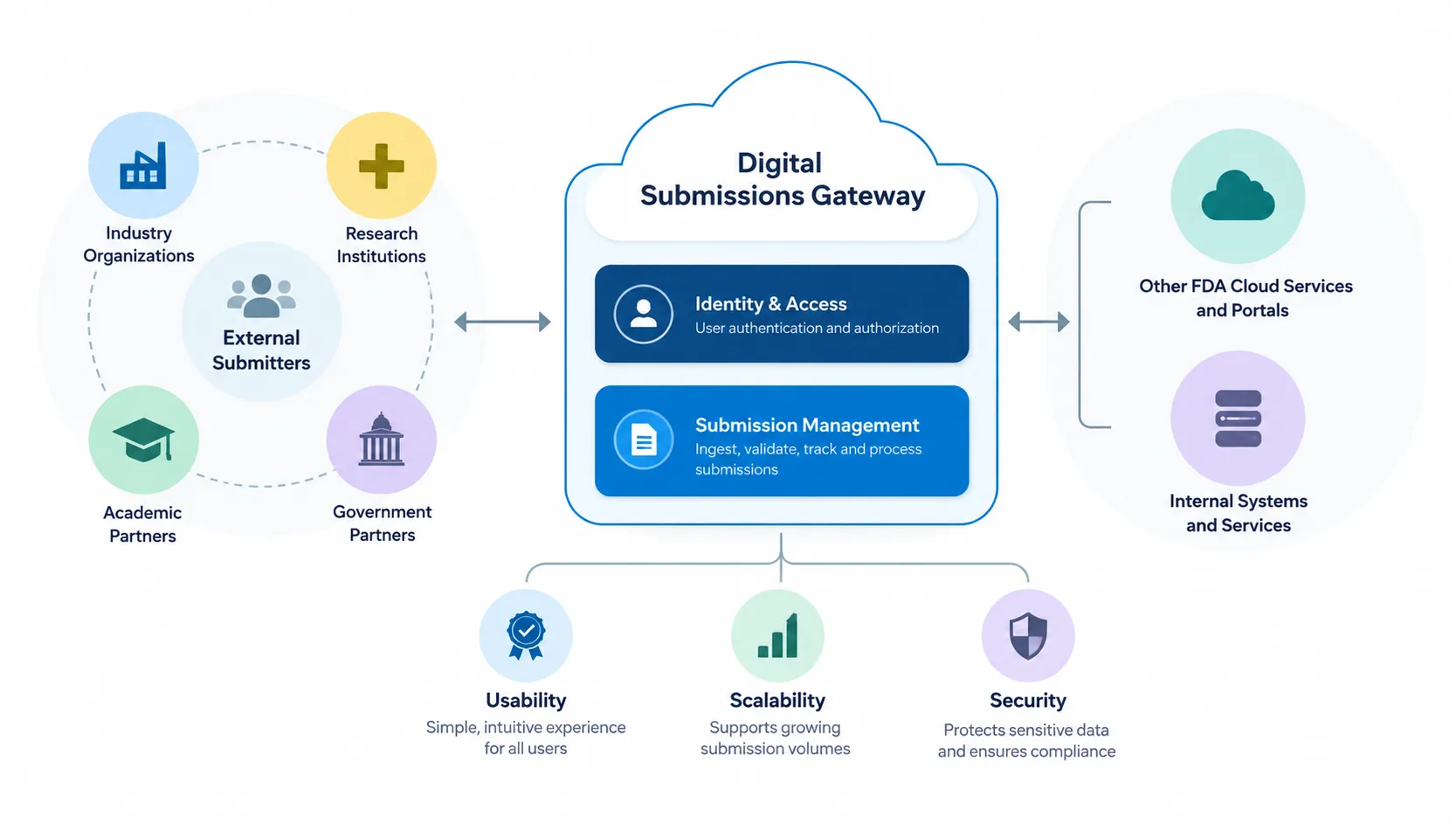
Mapping the Product Ecosystem
Before designing screens, I needed to understand the gateway as a system: who interacted with it, what they needed to accomplish, and how the experience connected to services beyond the interface. Visualizing those relationships helped turn a technically complex modernization effort into a shared model the broader team could discuss and refine.
What We Learned
Research surfaced three recurring barriers.
Complex onboarding
Multiple systems, approvals and handoffs made getting started unnecessarily difficult.
Rigid workflows
Users had limited ways to recover from errors or update information once a process was underway.
Fragmented submission experience
Technical limitations and disconnected tools created additional work around preparing, sending and tracking submissions.
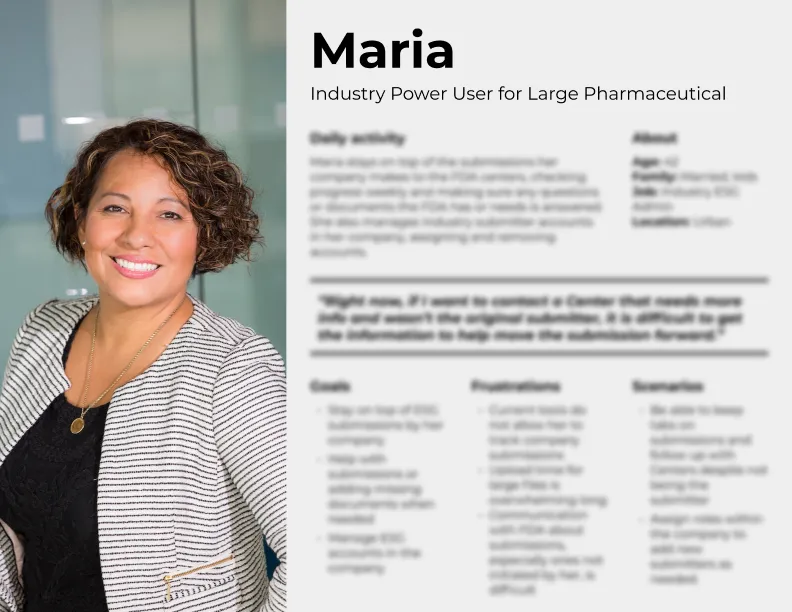
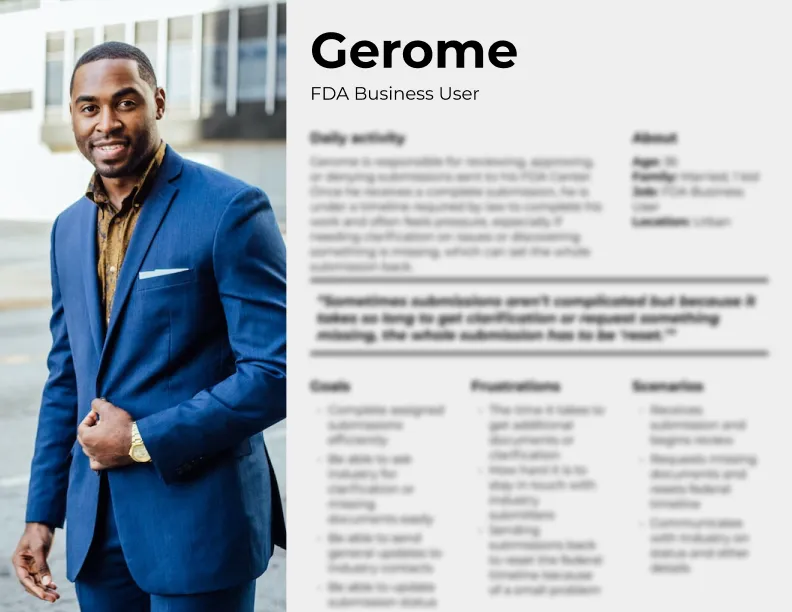
Interviews were synthesized into representative user types, helping the team distinguish shared needs from role-specific workflows.
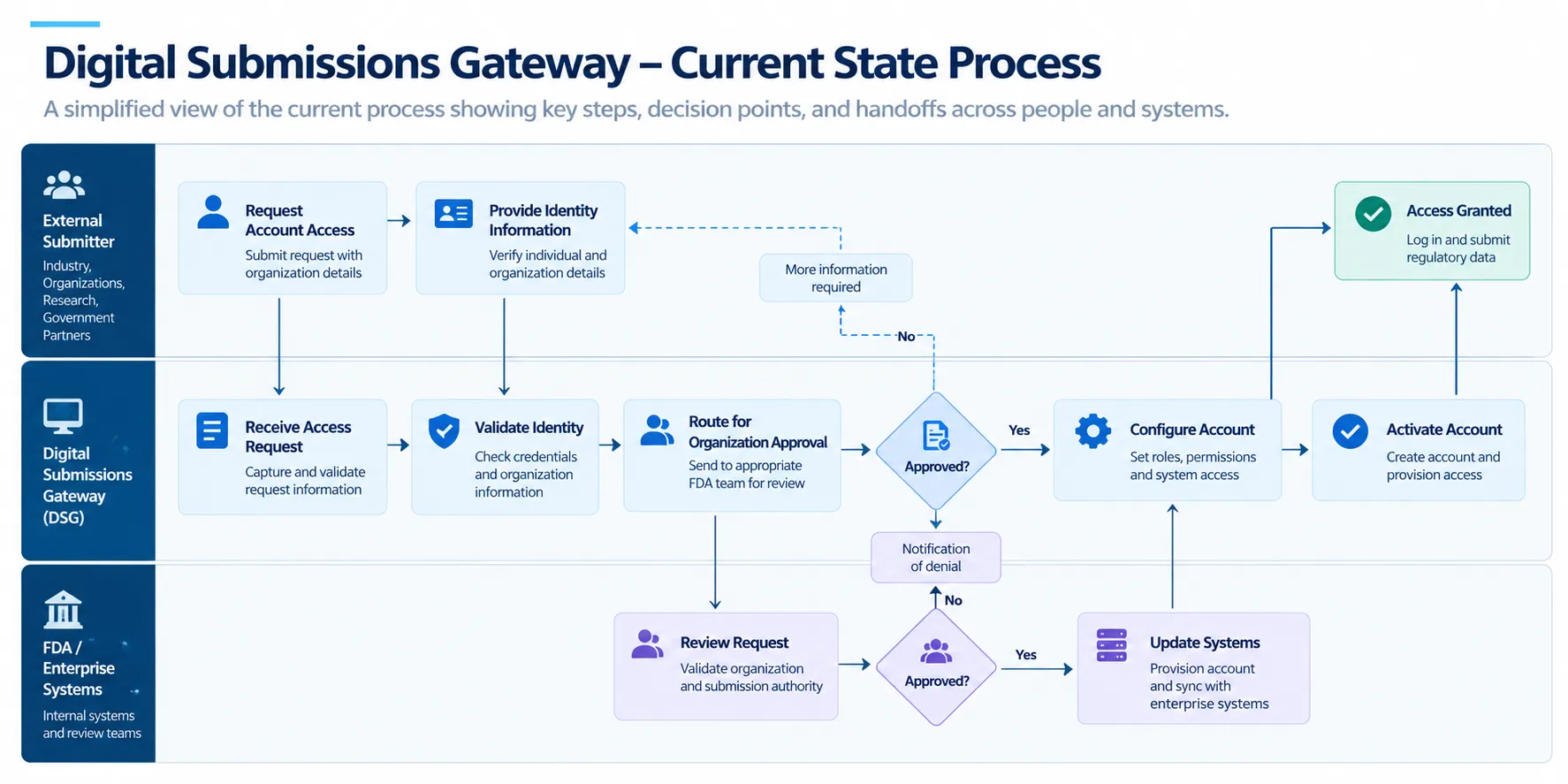
From Interviews to System Understanding
Mapping the existing onboarding process revealed how many handoffs, approvals, systems and decision points stood between a new user and a functioning account. Visualizing the workflow helped the team identify opportunities to simplify the future experience rather than merely reskin the existing process.
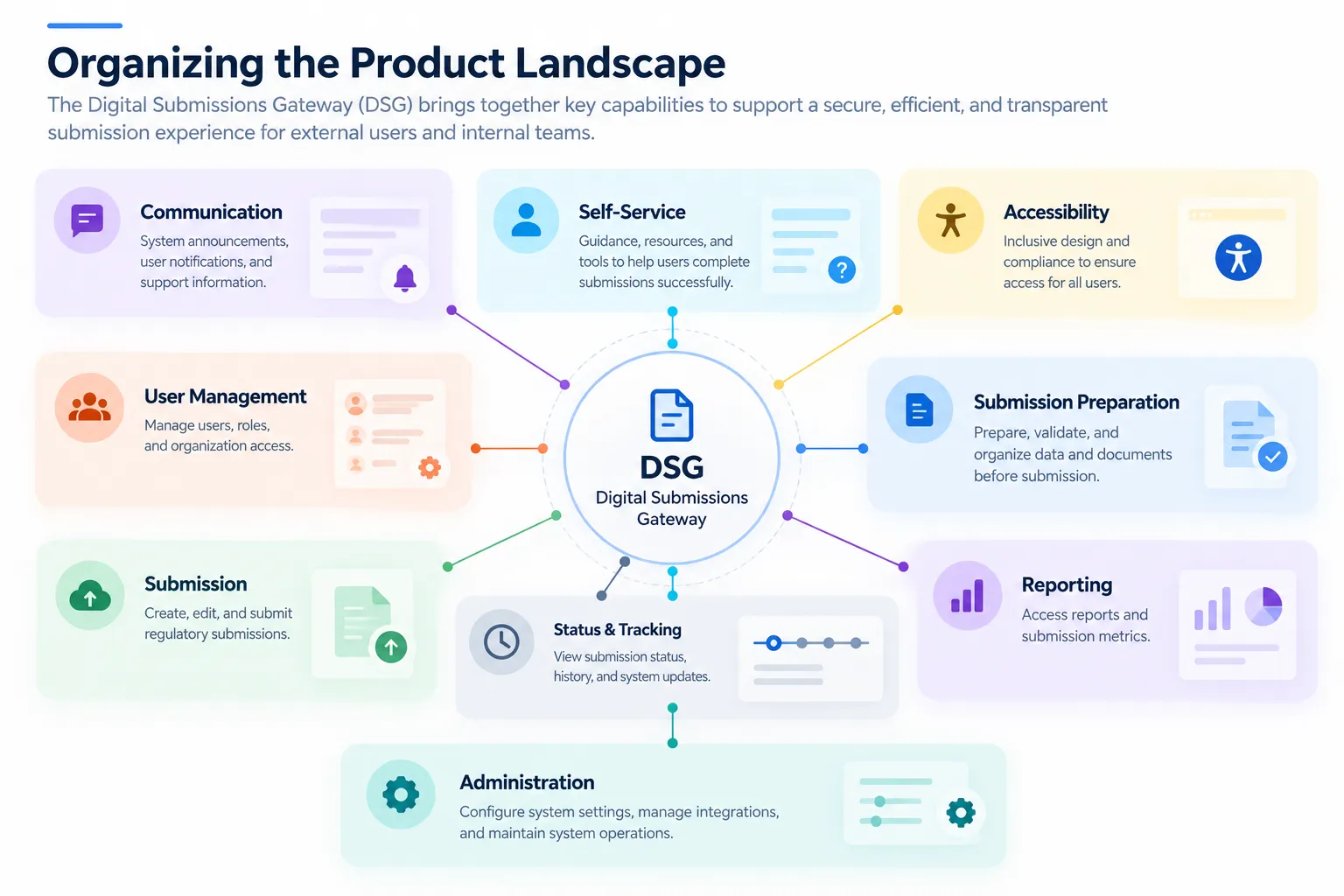
Organizing the Product Landscape
I organized research findings and business requirements into functional areas, creating a shared model of the capabilities the future gateway would need to support.
03
Envisioning the Future State
With the current ecosystem mapped and key user needs organized, I began exploring how the gateway could work as a more unified experience. Rather than reproducing existing processes in a new interface, the goal was to simplify onboarding, reduce handoffs, improve submission workflows, and give different user types access to the tools and information relevant to their work.
Designing a Role-Based Journey
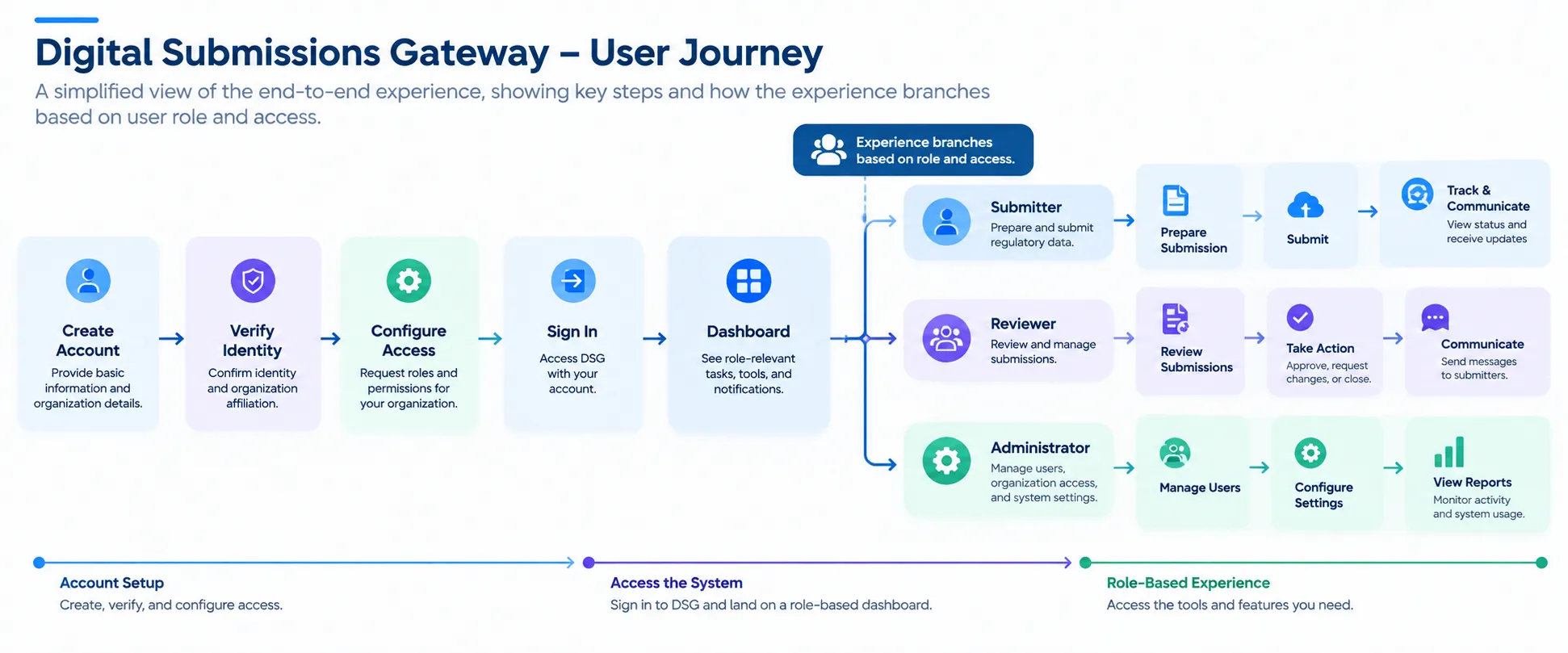
I translated the research into a simplified future-state journey, reducing unnecessary handoffs and organizing access around what different users needed to accomplish. This provided a bridge between the high-level product vision and the workflows that would eventually become interface designs.
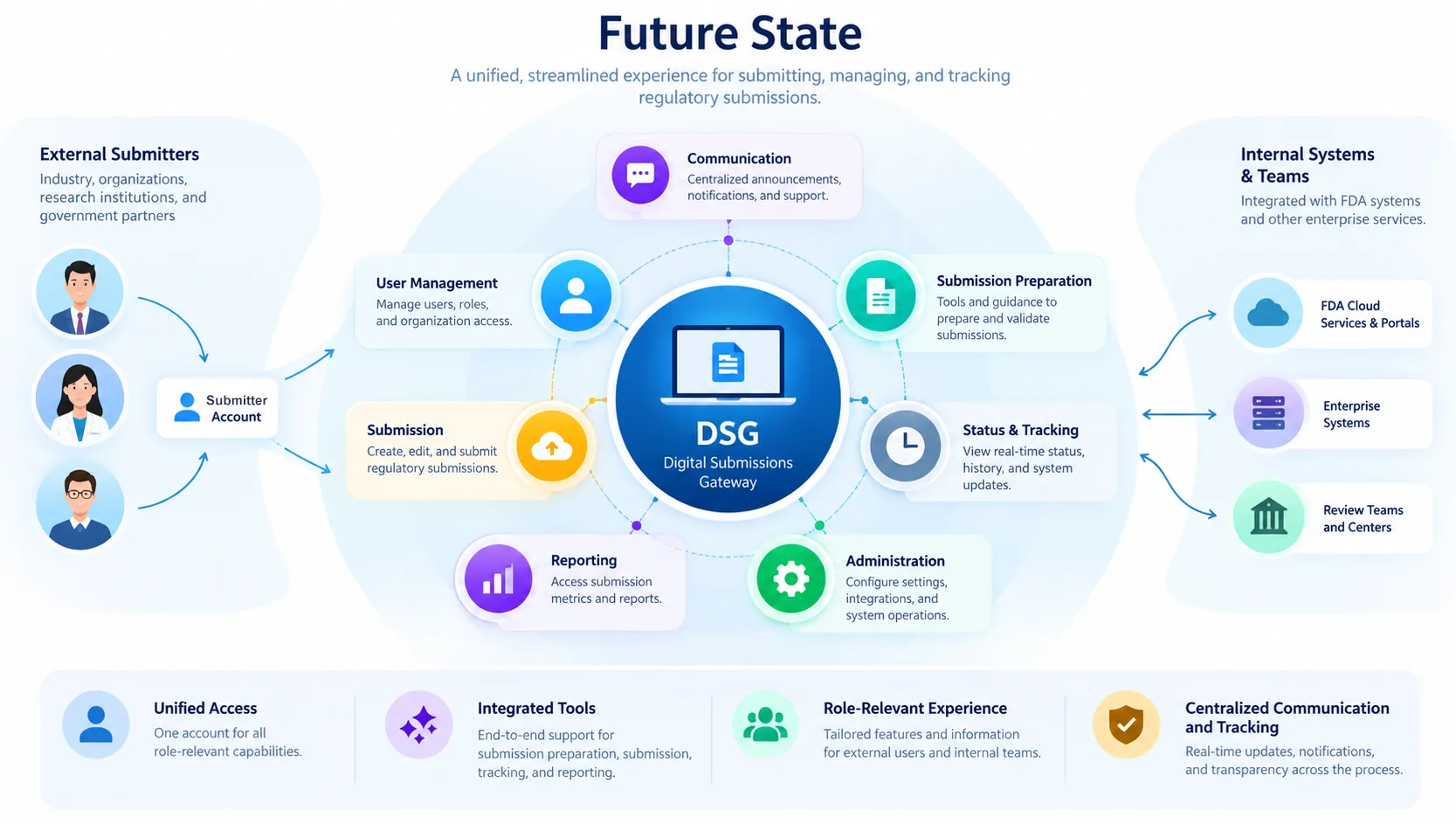
From Fragmented Processes to a Unified Experience
The future-state model consolidated disconnected tools and handoffs into a shared gateway organized around user roles, core capabilities, and centralized access.
Translating the Architecture into an Interface
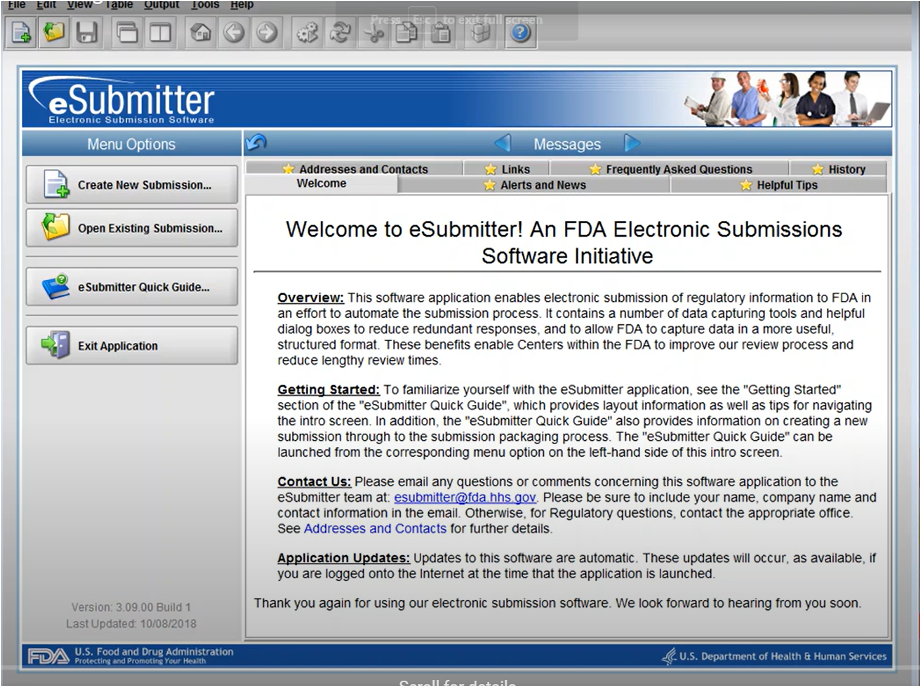
Once the future-state model was established, I explored how that architecture could translate into an interface. The legacy experience centered on a dense, utility-driven dashboard with limited differentiation among user needs.
Early concepts reorganized the experience around role-specific actions, centralized navigation, submission status, communication and frequently used tools.
Early DSG Concept
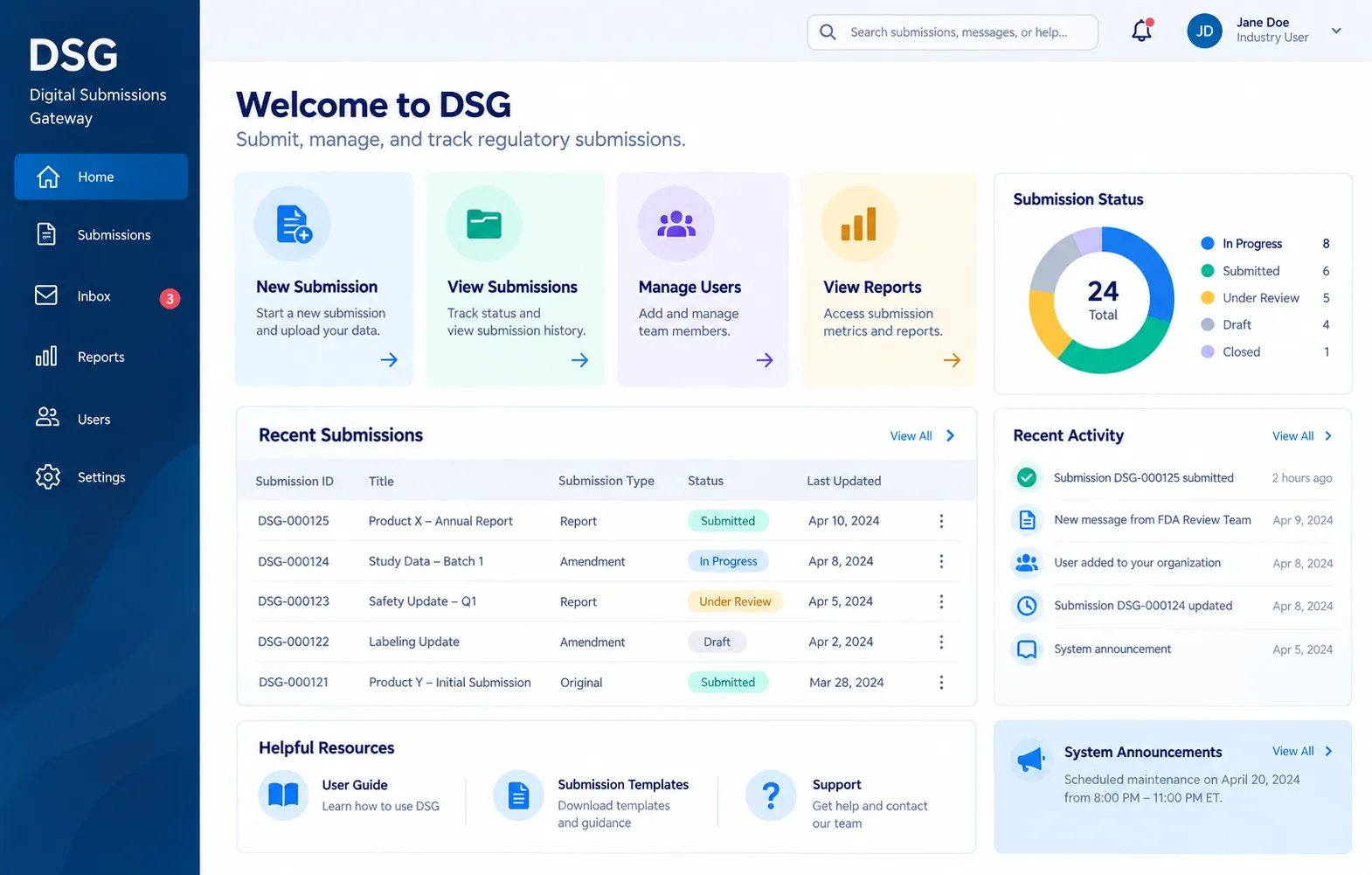
- Role-relevant actions
- Persistent navigation
- Status visibility
- Centralized tools
04
Making the Vision Tangible
Architecture diagrams and future-state workflows helped explain the proposed direction, but stakeholders also needed to experience what modernization could actually feel like.
I translated the future-state model into wireframes and an interactive prototype centered on one of the gateway’s most important and problematic workflows: creating and submitting a new package. The prototype transformed abstract requirements into something stakeholders could navigate, discuss, and evaluate.
From Transaction to Guided Workflow

The legacy experience treated submission as a series of technical transactions. The future-state concept reframed it as a guided workflow, giving users clearer context, progress visibility and opportunities to save and recover their work.
*Legacy interface shown from publicly available FDA demonstration materials.
Designing a Guided Submission Experience
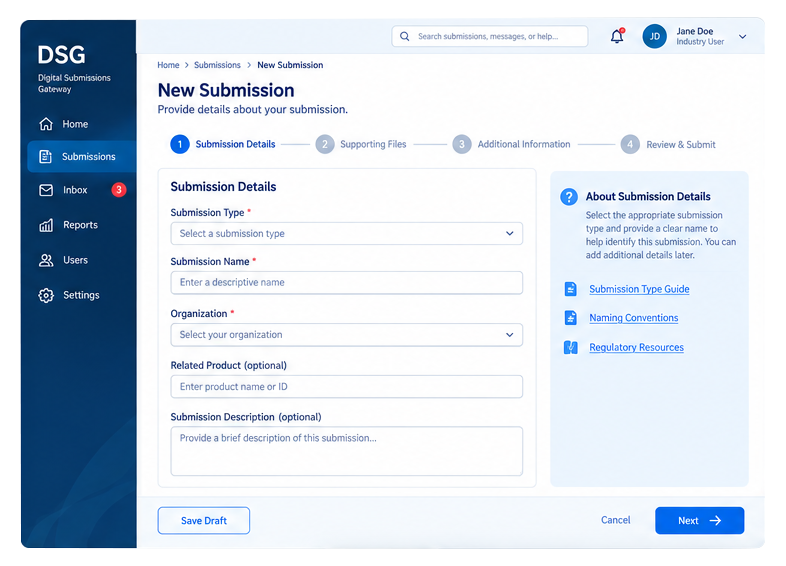
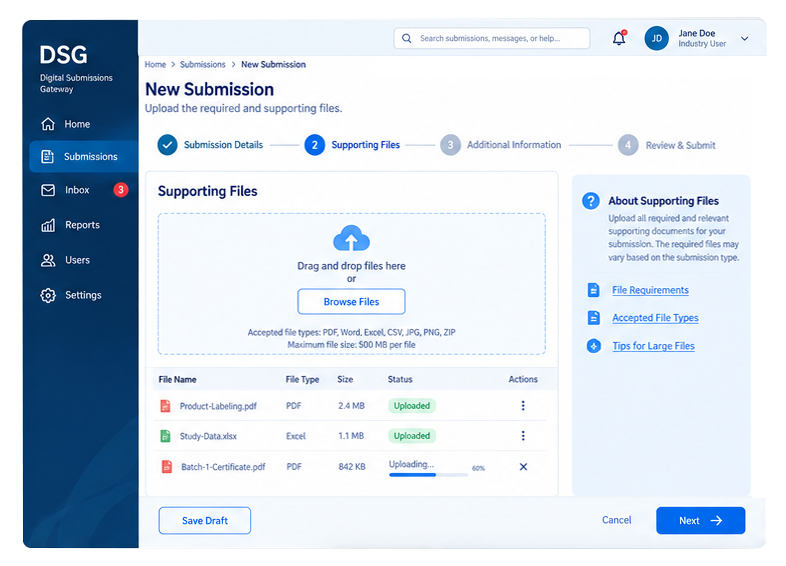
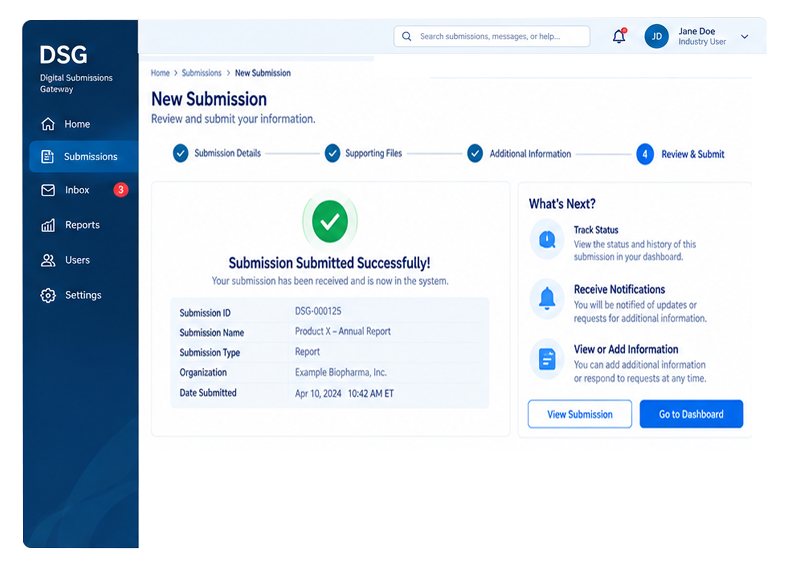
I shared the interactive prototype with the internal team before presenting it more broadly. Feedback exposed practical needs that weren’t obvious in the initial workflow, including clearer progress feedback and the ability to save work during a lengthy submission process. Those refinements were incorporated before stakeholder review.
Turning a Concept into a Roadmap
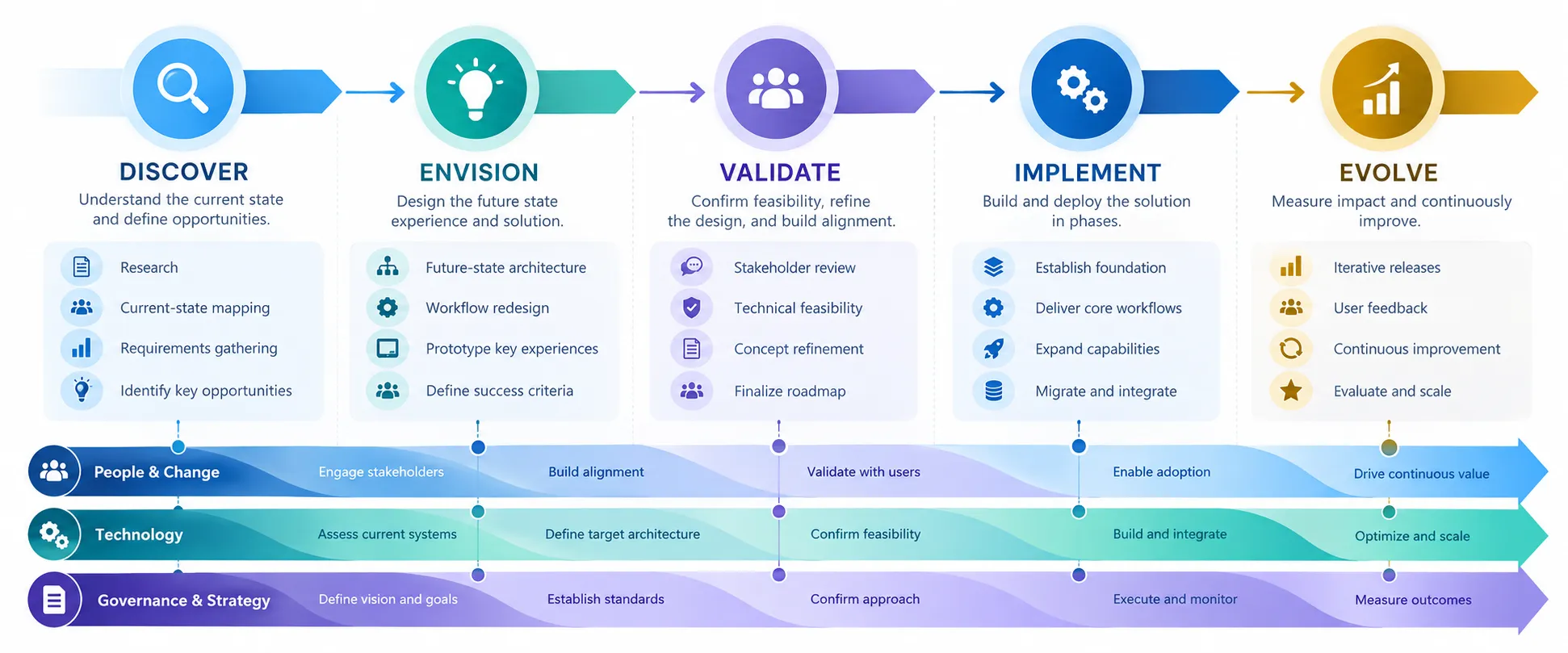
Over four months, the multidisciplinary team moved from research and current-state analysis through requirements, future-state architecture and an interactive prototype. The final recommendation didn’t stop at describing what a modernized gateway could become. It outlined a phased path for moving from the legacy system toward that future experience.
My visual models, workflows, and prototype helped make both the vision and the transition understandable, translating complex user, business, and technical considerations into an experience stakeholders could see, discuss, and evaluate.
05
From Vision to Implementation
The initial modernization work moved forward into a funded proof of concept, giving the team an opportunity to turn the future-state vision into a working product. I continued as the sole UX/UI designer, carrying the research, architecture and interaction concepts developed during the exploratory phase into implementation.
As the project shifted from envisioning possibilities to building them, my role shifted too. The focus became prioritizing workflows, resolving requirements, establishing repeatable design and approval processes, and creating a consistent visual system that could scale with the product.
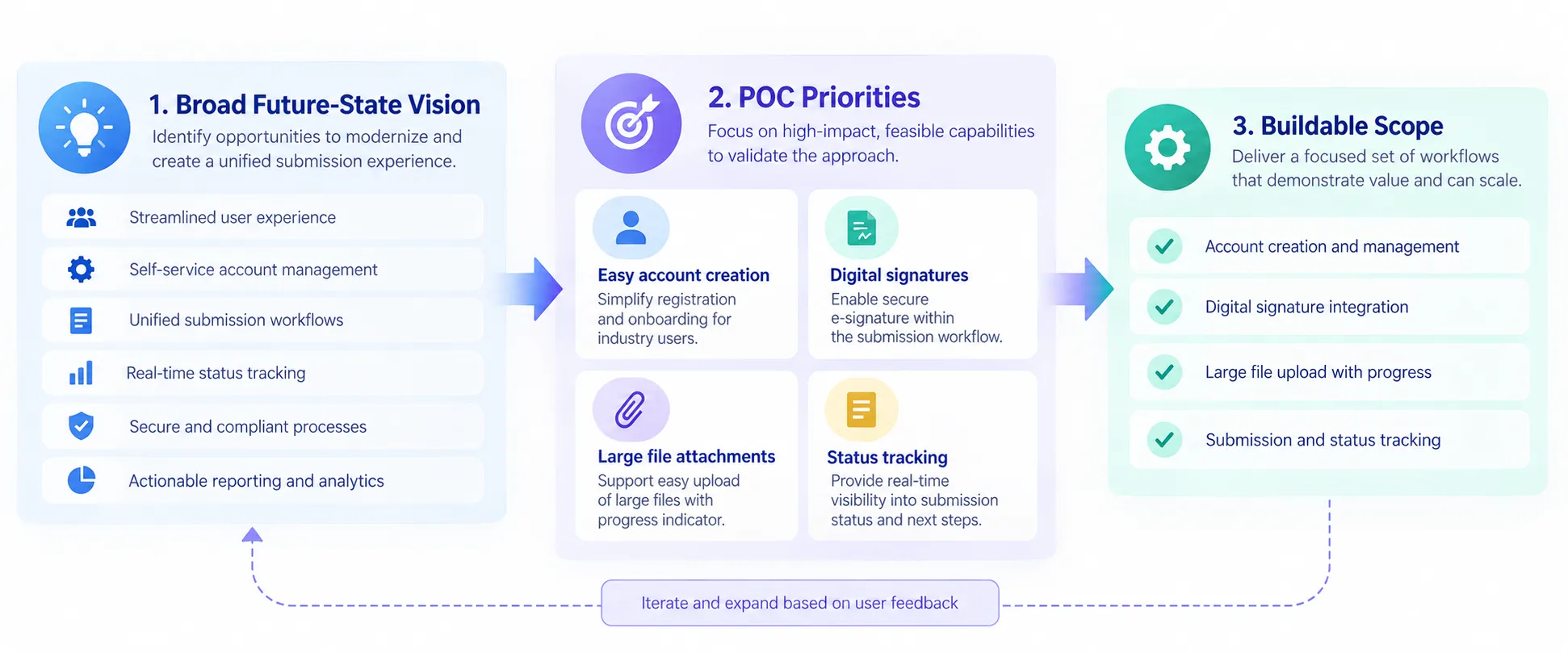
Prioritizing What to Build
The exploratory work had identified many potential capabilities, but the proof of concept required a much narrower scope. I worked with the team to prioritize the workflows that would best demonstrate the value of the future experience while remaining feasible within the implementation timeline.
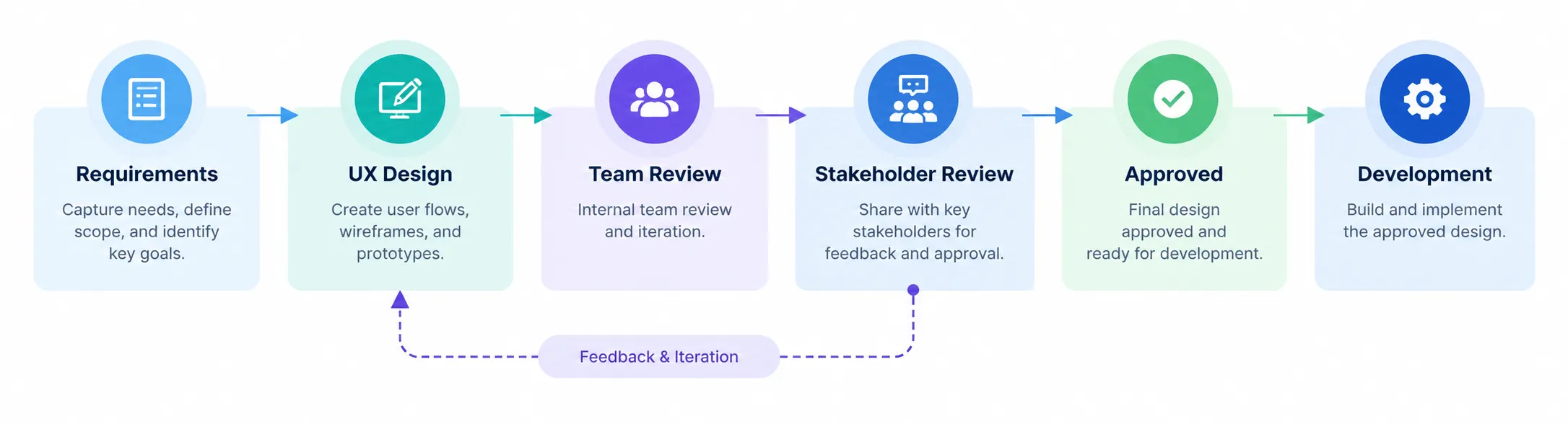
Establishing a Design-to-Development Process
Moving into implementation also required a more formal path from requirements through design, stakeholder approval and development. I helped define a shared design-review process so expectations, feedback and approvals were clear before work moved downstream.
Creating a Consistent Product Language
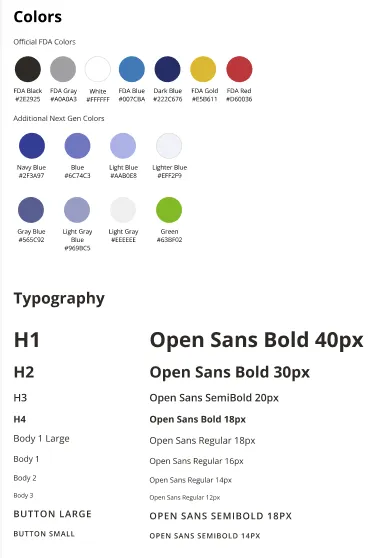
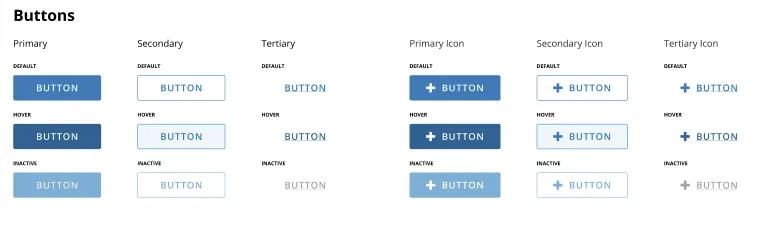
As the concept became a product, I established a lightweight visual system that combined existing organizational standards with reusable product-specific patterns. This gave designers, developers and stakeholders a shared reference as the interface expanded.
06
Designing for Implementation
Moving from concept to proof of concept introduced new technical constraints. The implementation platform required some of the earlier ideas and workflows to be reconsidered, while complex processes such as account creation needed significantly more detail before development could begin.
The selected implementation platform introduced capabilities and constraints that hadn’t been present during the exploratory phase. Rather than forcing the original concepts into the new environment, I revisited workflows and interaction patterns to make sure the experience remained usable while being technically achievable.
I worked from the future-state vision into increasingly detailed flows and wireframes, balancing user needs, business requirements, technical constraints, and the capabilities of the selected platform.
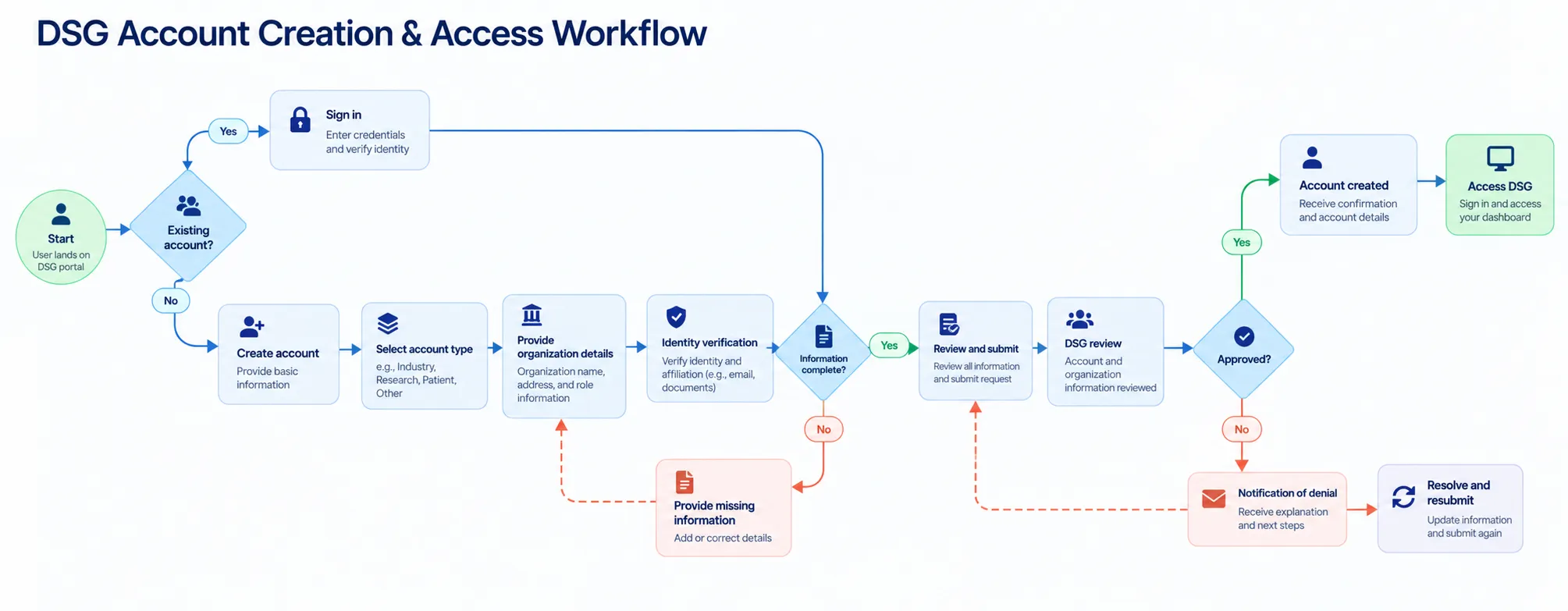
Resolving Complexity Before Designing Screens
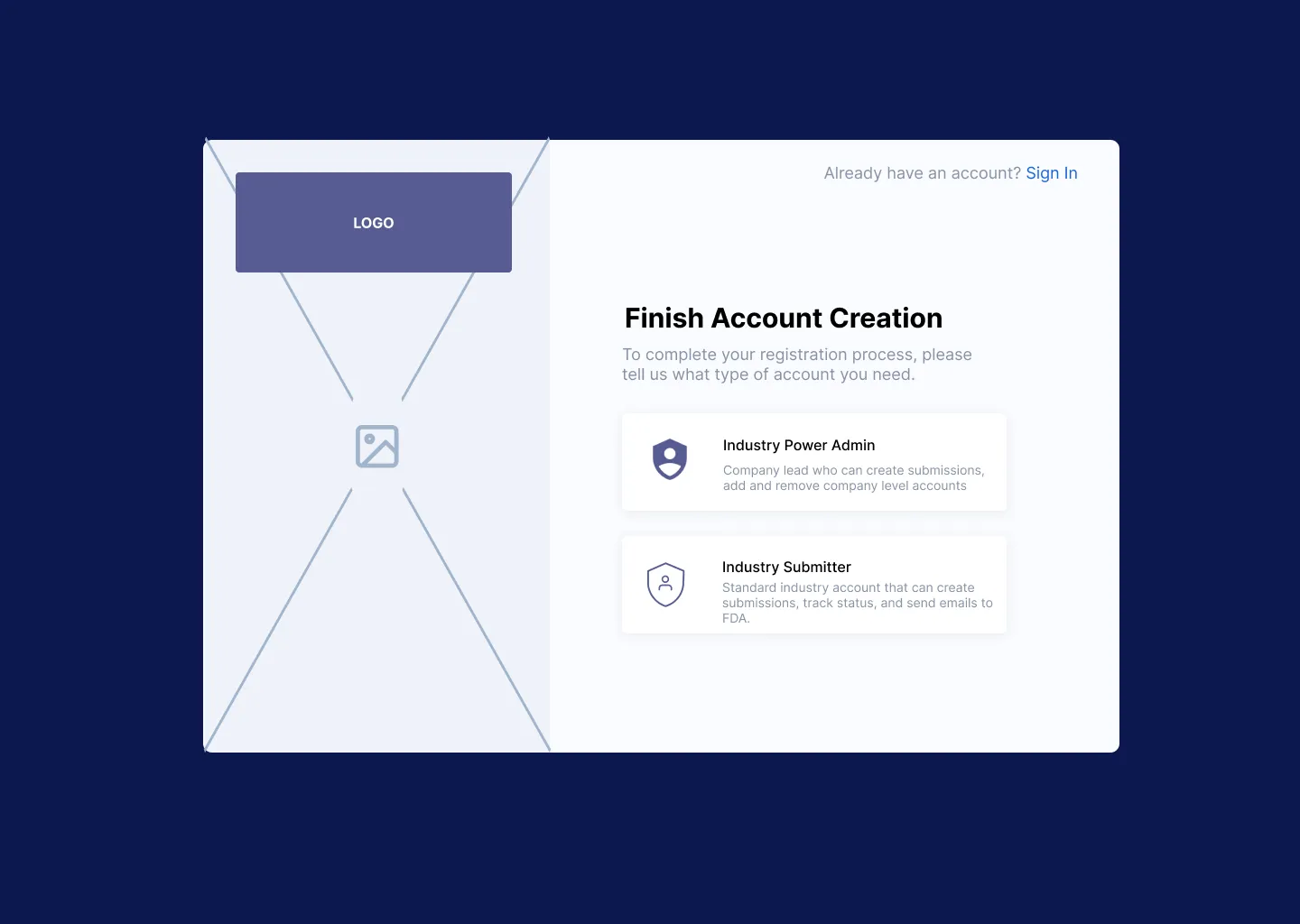
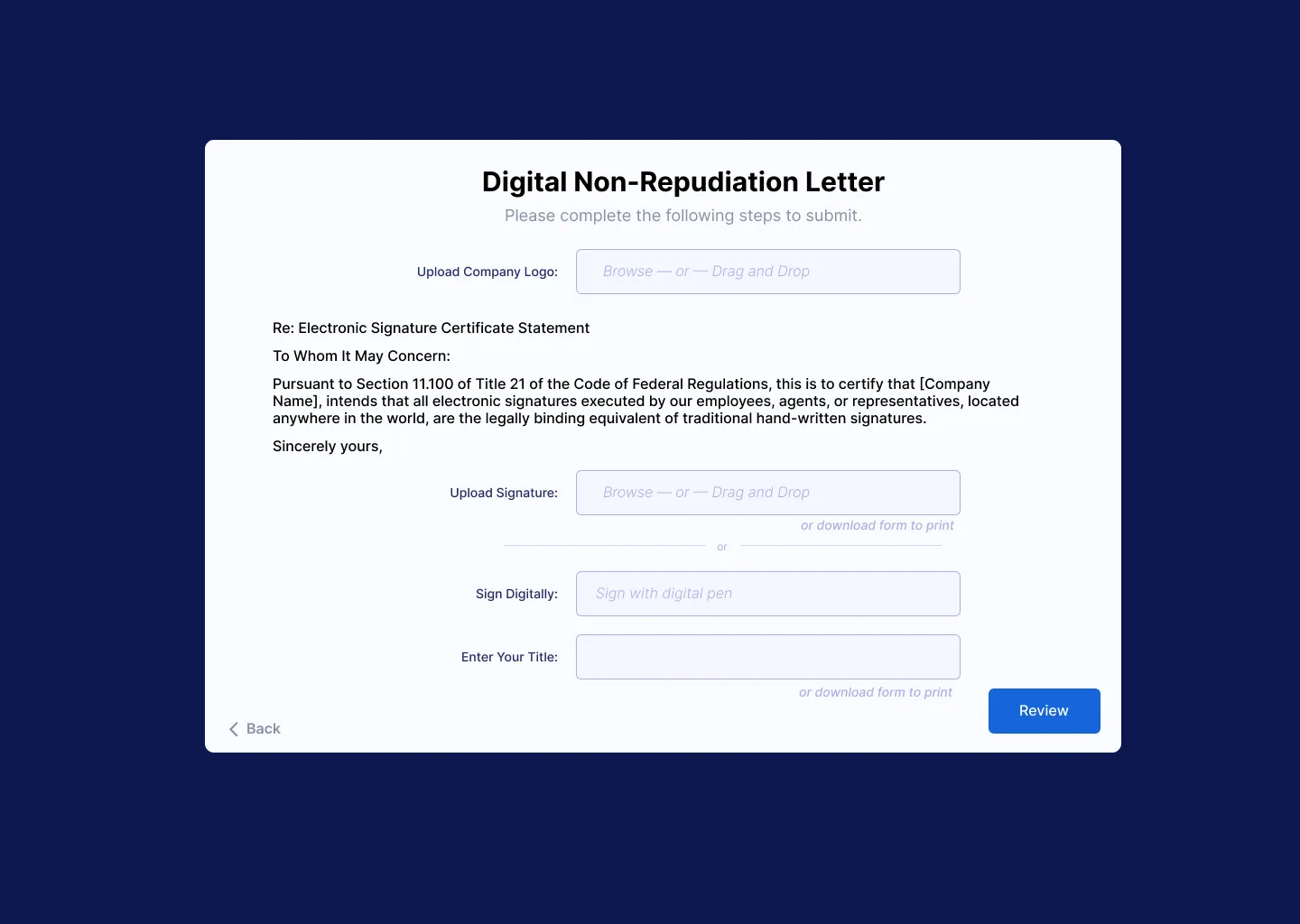
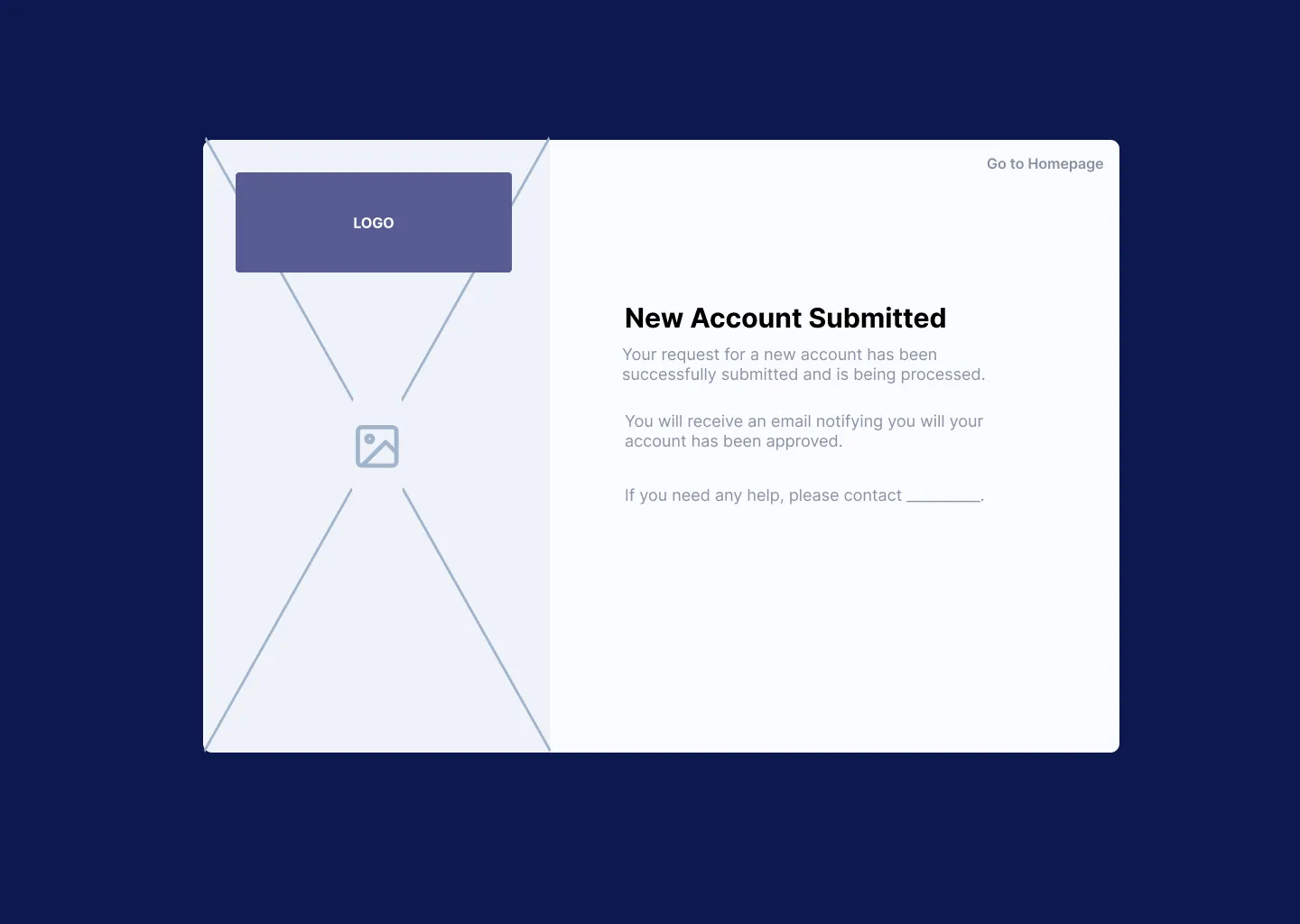
Some workflows that appeared simple at a high level became significantly more complex once business rules, user roles, approvals, exceptions, and technical constraints were considered. I mapped these interactions in detail before designing screens so that edge cases and decision points could be resolved before development.
From Logic to Interface
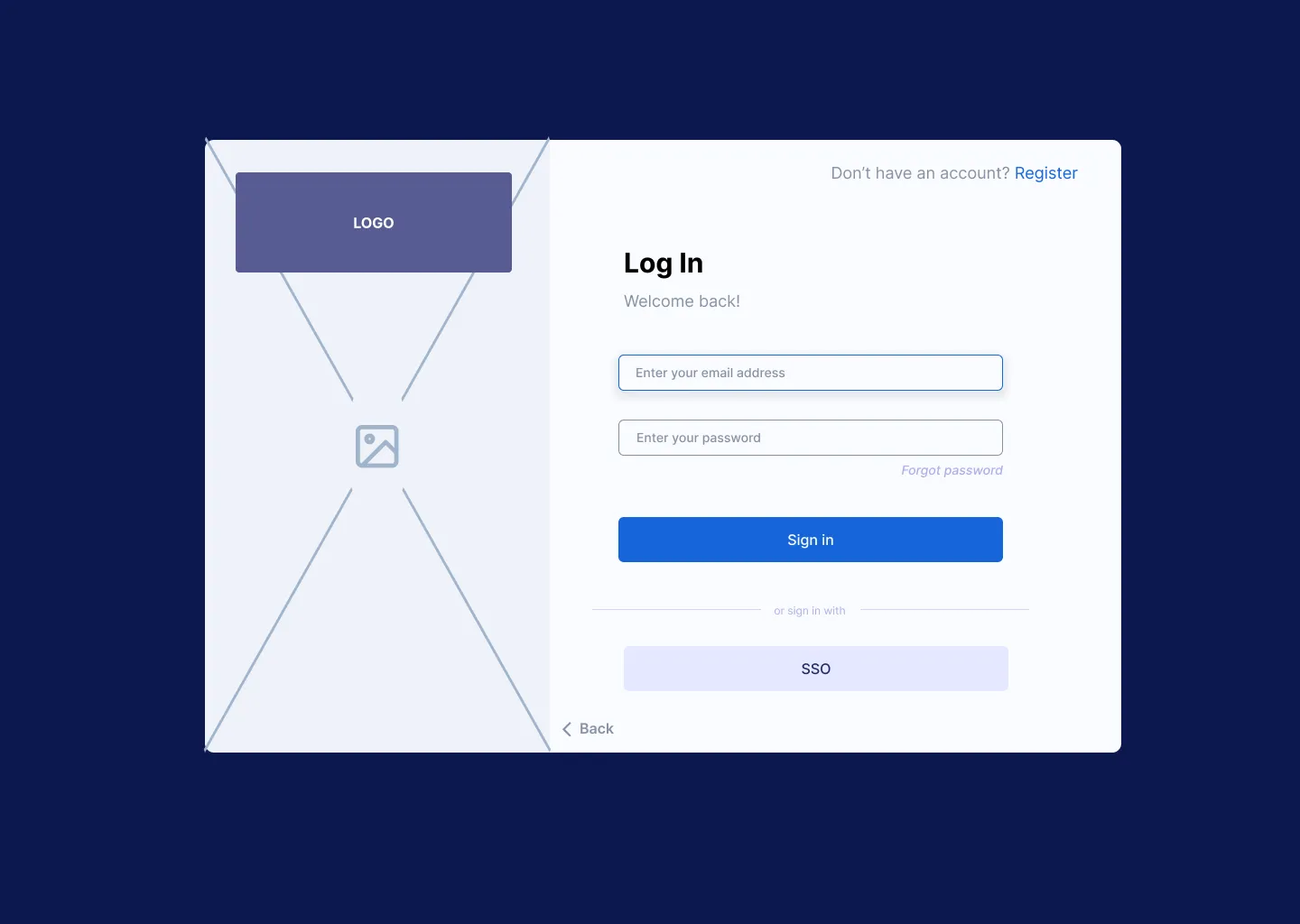
With the detailed workflow established, I translated key paths into low-fidelity wireframes to validate screen sequence, information requirements and interactions before investing in higher-fidelity design.
Designing Across Roles
As the proof of concept expanded, the challenge shifted from designing individual workflows to maintaining a coherent experience across different user roles. Shared navigation, patterns, and interactions needed to remain consistent while dashboards, capabilities, and information adapted to each user’s responsibilities.
Rather than creating isolated interfaces for every task, I designed shared patterns that could support increasingly specific views through filtering, search, contextual actions, and role-based content.
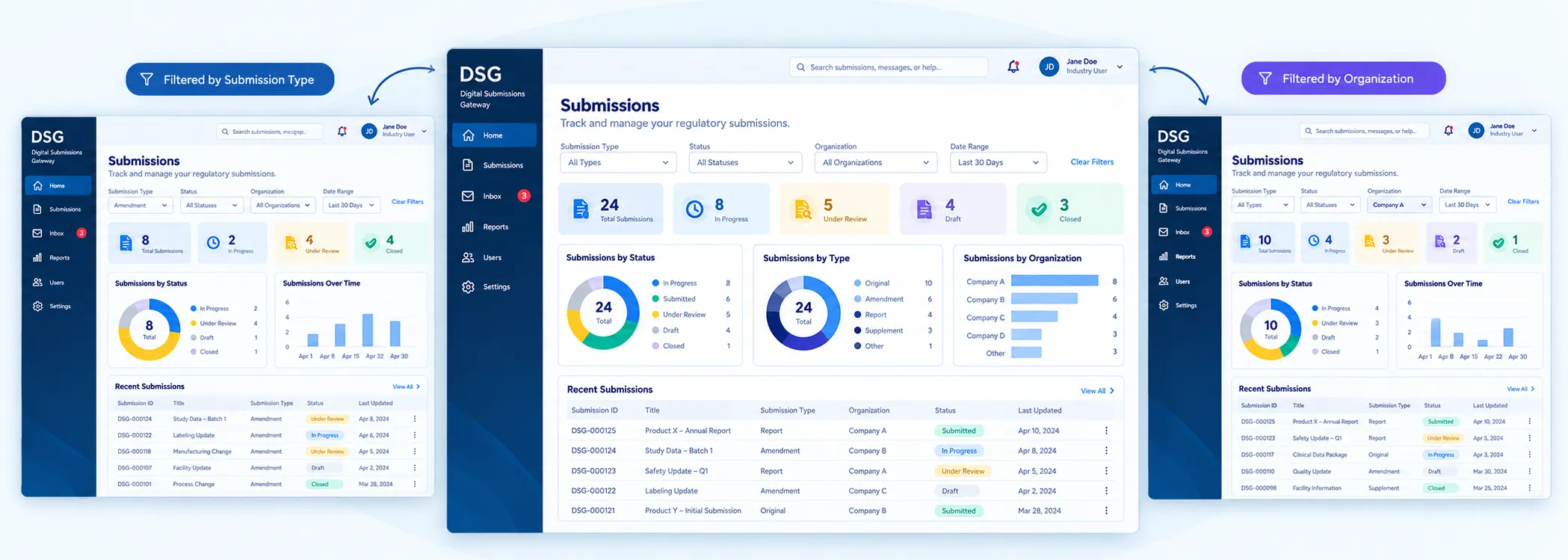
For administrative users, the dashboard emphasized operational awareness, including workload distribution and time-sensitive submissions, while other roles received views tailored to their responsibilities.
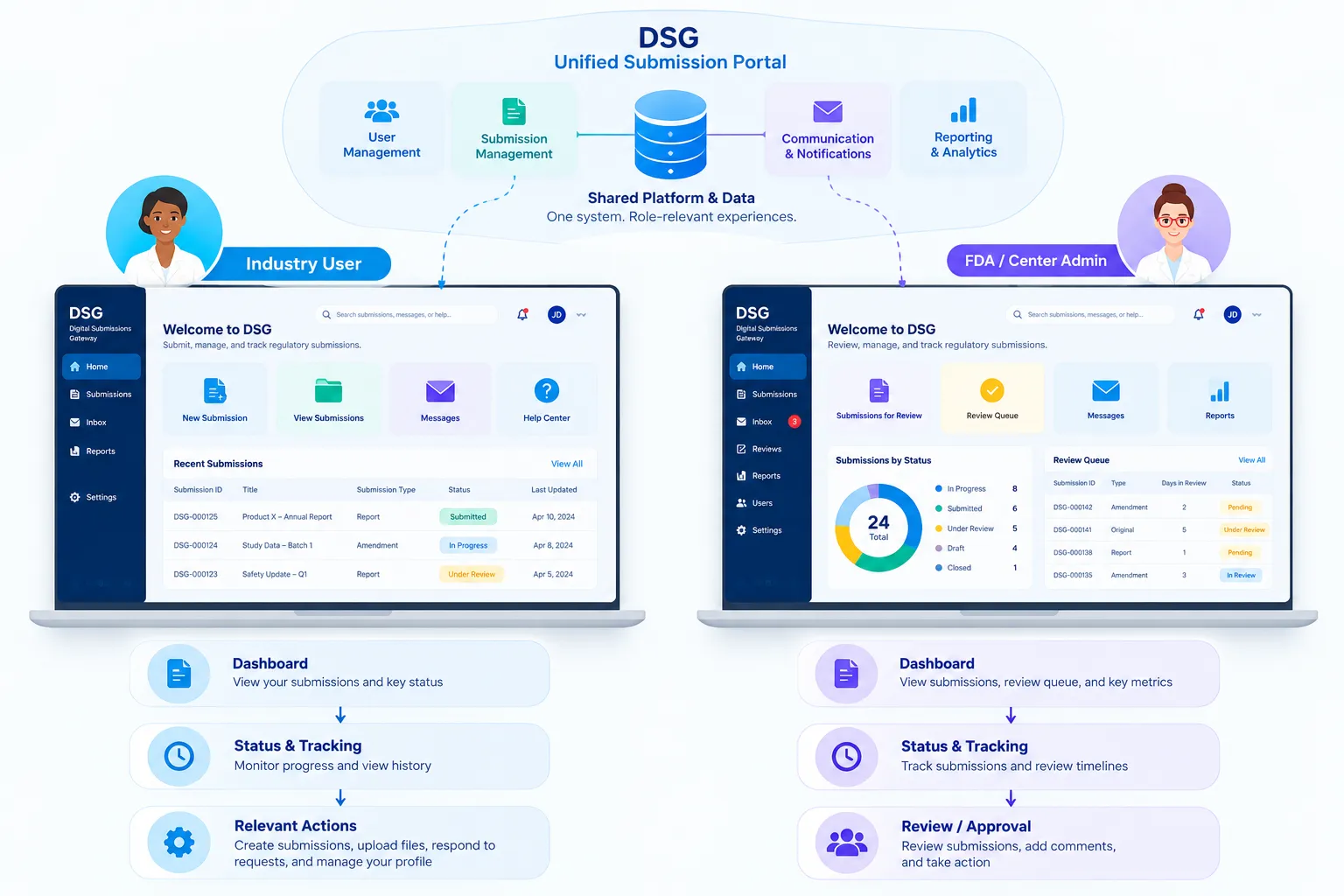
Different users often needed access to the same underlying information but for different purposes. I designed shared patterns and navigation while adapting available actions, information density, and workflow steps to each role’s responsibilities.
This allowed the experience to remain consistent without forcing every user through identical workflows.
Validating and Communicating the Direction
The proof of concept met its defined requirements and demonstrated that the future-state experience could translate into a viable product direction. Because of the compressed timeline and significant technical work required, validation during the POC focused primarily on internal and key stakeholder feedback, with broader usability testing planned for subsequent development.
To communicate the proposed experience beyond the immediate project team, I also helped shape and produce a short product video for executive stakeholders, developing the visual story, refining the script, recording narration, and editing prototype footage into a concise explanation of the future product.
07
From Concept to Live Product

The modernization effort progressed beyond proof of concept into full product development, transforming a future-state vision into a working system. Although later implementation adapted the visual design to the selected technology platform, many of the core workflows and experience concepts established during my involvement carried forward into the developing product.
Following additional rounds of internal and external user testing, the broader project team received national recognition for its work, and the modernized gateway launched in 2025.
For me, the most meaningful outcome is that the work didn’t end as a prototype. Research, systems mapping, experience architecture, and interaction design helped establish a foundation for a product that ultimately reached real users.